
Just 2.0: Insights, Web Search, Images, Shared Context
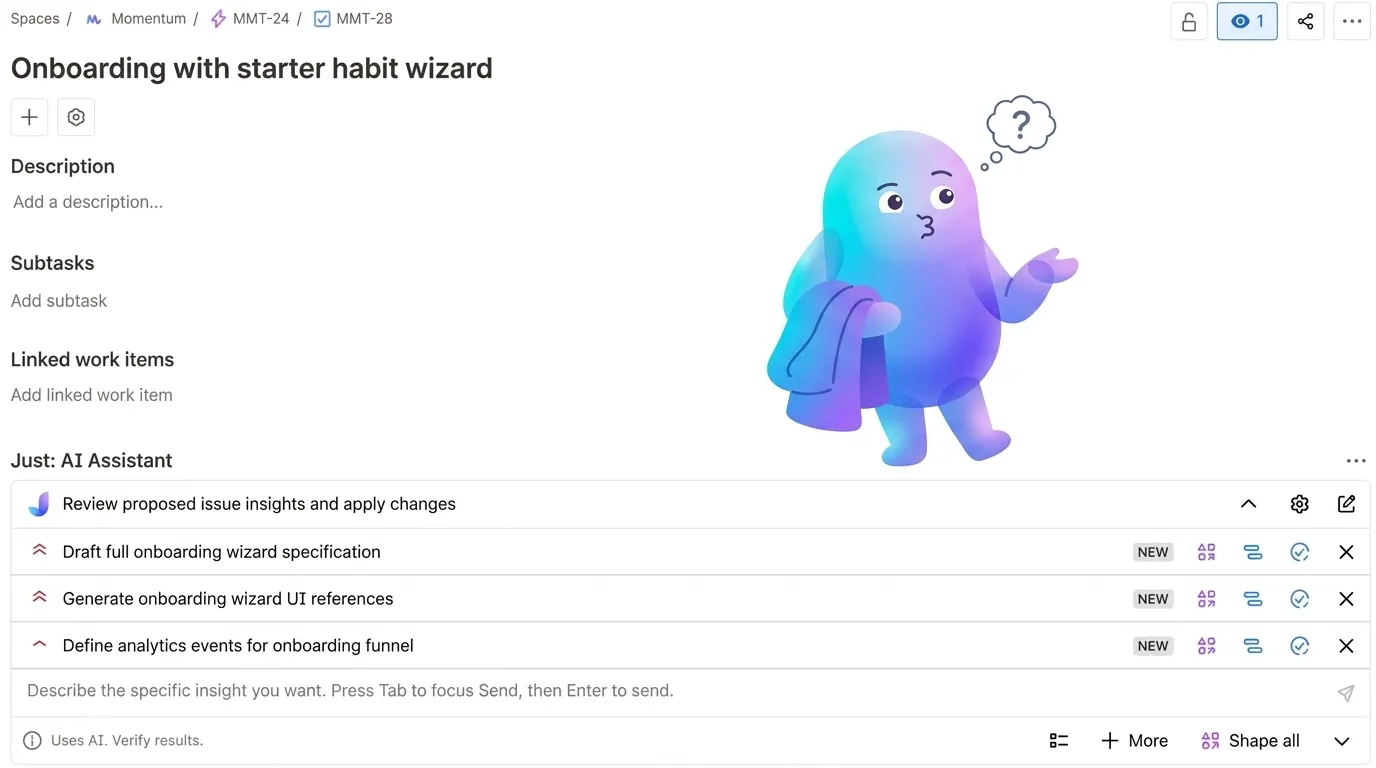
Just: AI Assistant for Jira has taken a big step forward. Insights now clarify before planning, pull live web context, generate images, learn from feedback, and work with reusable context at either project or organization scope.
This is the biggest Just update so far.
With this release, Just: AI Assistant for Jira makes a real jump forward. Insights now ask clarifying questions first, then build a plan, can pull fresh web context, can generate images in the same run, and can improve over time through project-level feedback.
The other big shift is context. Teams can now keep reusable context local to one project or make it available across the whole organization, depending on how broadly that knowledge should travel.
The price did change, and I will get to that later. But the headline here is the product leap itself. This is effectively Just 2.0.
What changed in practice:
- Insights now clarify before they plan.
- One run can combine web research and image generation.
- Feedback starts shaping future output at project level.
- Context can stay local to one project or be shared across the whole organization.
New Name, New Mark
Not only the product changed. Its name and visual identity changed too.
Just: AI Starter Kit for Jira was an honest early name when the product was still closer to a compact bundle of AI flows. Just: AI Assistant for Jira is a better description now: the product does not just generate text, it helps move a Jira issue through questions, insights, research, reusable scenarios, and controlled execution.

Earlier mark: simpler, sharper, closer to the starter-kit phase.

New mark: softer, more layered, and closer to what the product has become.
Questions First, Plan Second
The most consequential change is how Just builds its output.
Earlier versions generated a result directly from the ticket. The model read the issue and produced something structured and plausible. That works when the ticket is clear.
Most tickets are not clear. They are written fast, full of implicit assumptions, and missing the decisions that matter most for implementation.
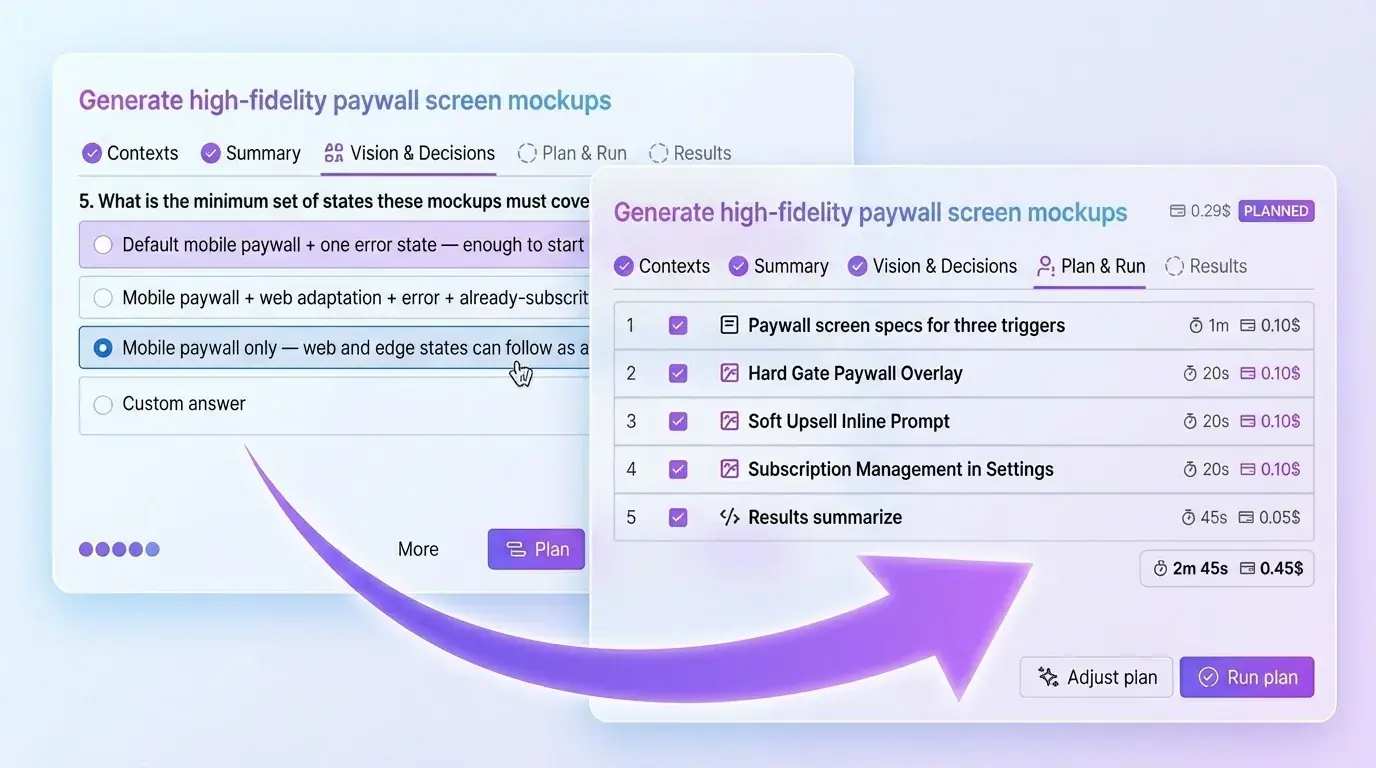
The current version asks clarifying questions first. You open an issue, run an insight, and Just surfaces specific questions before it builds anything. You answer them. The plan gets built from your answers rather than from what the model assumed you probably meant.
This sounds like a small change. In practice it shifts the output from "plausible response to an ambiguous prompt" to "structured plan based on explicit decisions." The difference shows up immediately when you have to explain a result to someone else who was not in the room.
Live Research and Images in One Run
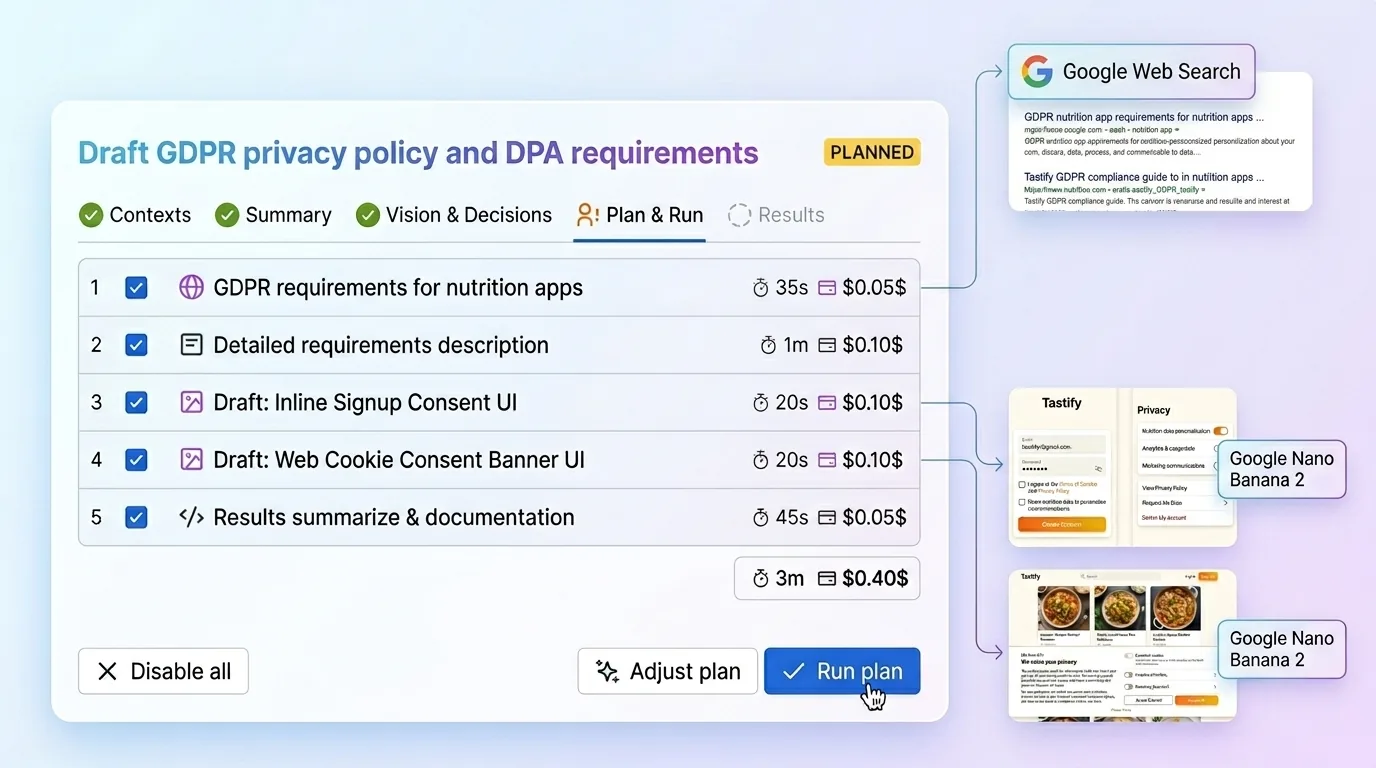
Just now supports web search and image generation inside a single insight run.
When a ticket touches something that moves — an API, a competitor feature, a compliance requirement — the web search step pulls current information before the plan is built. This matters because every AI model's training data has a cutoff. The model working from its training alone does not know what changed in the last six months. A live search step does.
Image generation runs via Gemini's image model, which handles visual consistency and text-in-image noticeably better than most alternatives at this price point. Both steps are opt-in per insight: you enable them when the ticket needs them, not by default.
Feedback That Improves Future Results
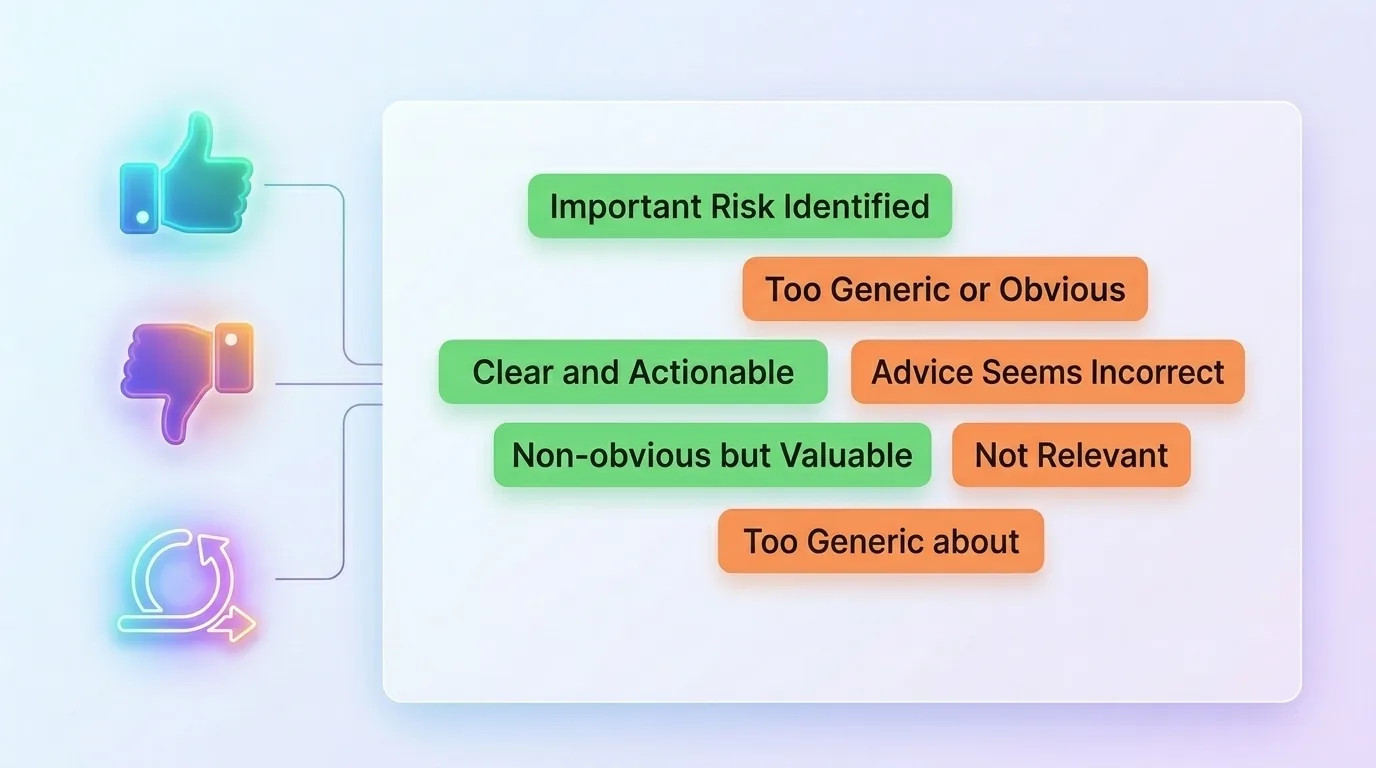
Every insight now includes a feedback layer.
You can mark a result as useful or not useful, and add an optional short reason. Those examples accumulate per project and get reused in future insight runs as positive and negative guidance. Good results pull future outputs toward what your team found valuable. Bad ones steer the model away from what it got wrong.
This is not global model improvement. It is per-project calibration. Over time it makes Just progressively better at matching the specific kind of output your team will actually use, rather than generic output the model thought was reasonable.
Context at Project or Organization Scope
Context is now more flexible too.
Some teams want every project to inherit the same product framing, audience, and baseline conventions. Others need each project to keep its own independent context because the products, users, or workflows are genuinely different. Just now supports both models.
You can keep context local to one project or make it reusable across the organization. That sounds like a configuration detail, but it changes how practical the product feels at scale. Shared context reduces setup repetition. Project-only context keeps one team's assumptions from leaking into another team's work.
In practice, this makes the system much easier to fit into real organizations instead of forcing every team into one context model.
Build Your Own Scenarios
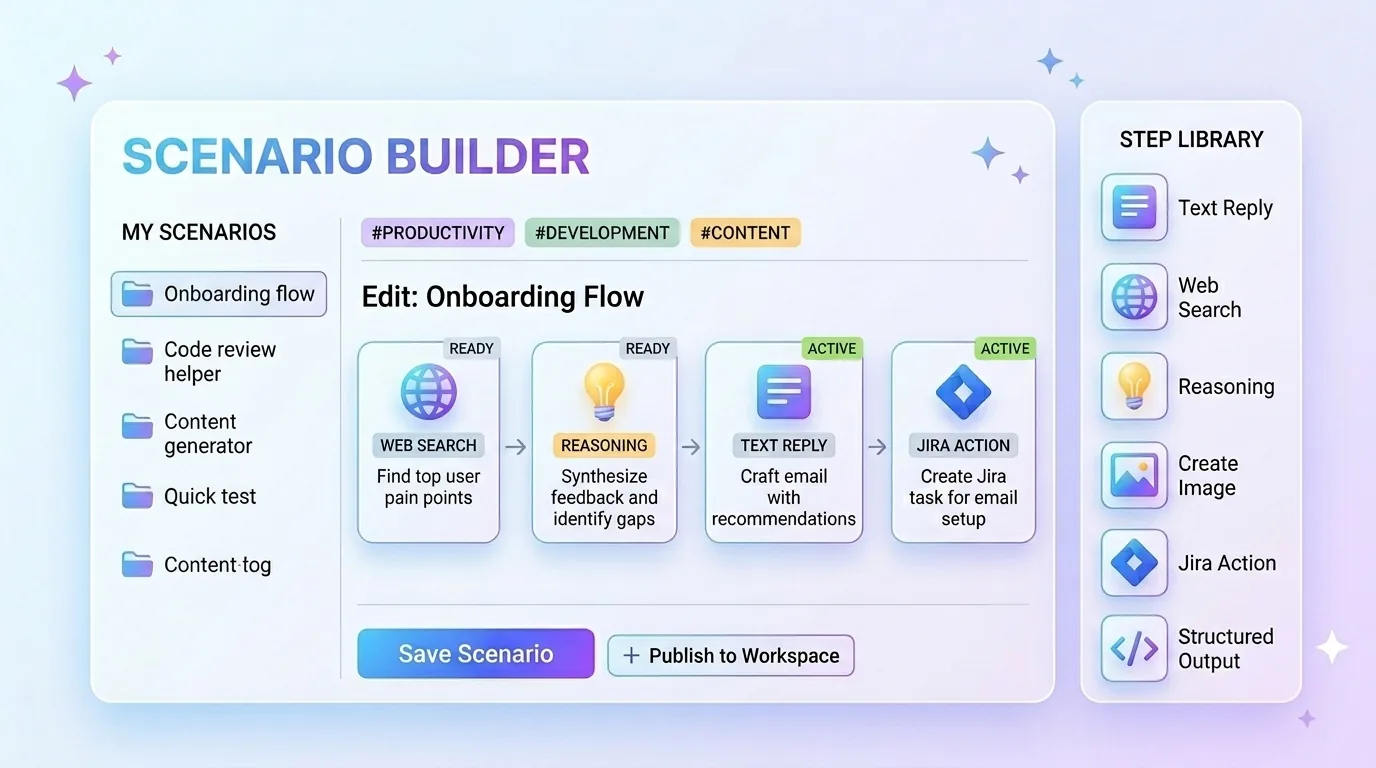
The scenario editor lets you create, tune, and save your own reusable insight workflows.
A scenario is a sequence of configured steps, each with its own model, instructions, and output format. You can build one scenario for writing acceptance criteria, another for technical scoping, another for competitive research on new feature tickets. Each scenario is available inside Jira for any issue, one click to run.
This was the most common request from early users. The built-in insight workflow is useful on its own. But encoding your team's specific way of working — your preferred structure, your required fields, your depth of analysis — into something reusable is what makes AI assistance practical at scale rather than a novelty you demo once.
Transparent Costs: Credits, Keys, and Control
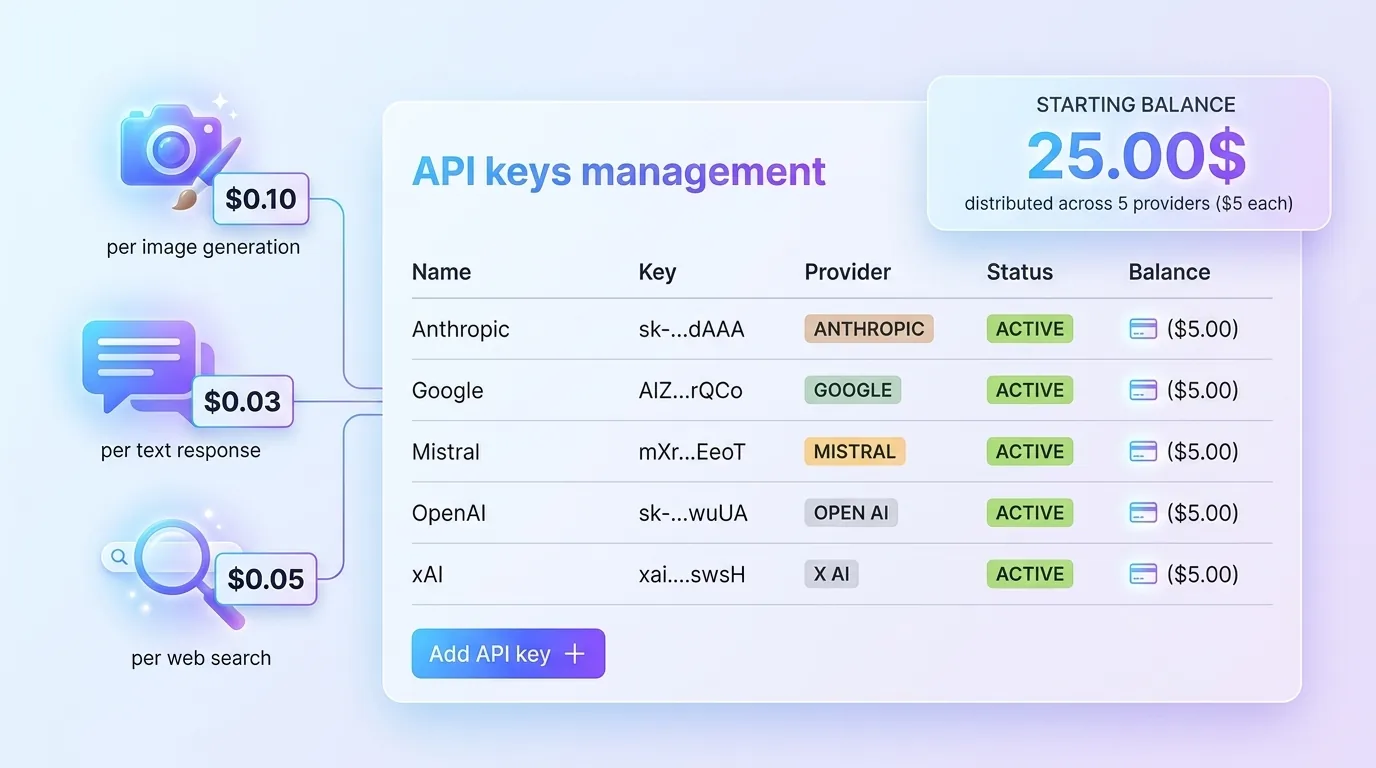
Just works with five providers: Anthropic, OpenAI, Google, xAI, and Mistral. New installs start with $25 in onboarding credits distributed across providers, so you can run real workflows before committing to any API key setup.
Once the credits run out, the model becomes much more straightforward:
- You connect your own provider keys.
- Costs stay visible at step level — what each provider, each step, and each insight run actually costs.
- The credit model remains an on-ramp, not the long-term business model. The steady-state setup is your own keys with full visibility.
If you want a broader breakdown of how these costs stack up at team level, I unpack that separately in The AI Budget Nobody Talks About.
Routing is flexible by design. You can use one provider for everything or assign different models to different step types. The defaults reflect what I have found produces the best output for each job — Anthropic for core planning, Google for research and images — but you can override anything.
About the Price Change
Just moved from $1 per seat per month to $5 per seat per month.
The $1 price was honest at the time it was set. Just was experimental. None of what is described above existed in it. A product that asked clarifying questions, ran live research, generated images, accumulated feedback, supported reusable scenarios, and let teams control context scope at project or organization level was the roadmap, not the release.
That product now exists. $5 per seat reflects what is actually in it. It is still below most comparable Jira AI tools, and it still does not include AI usage costs — those remain transparent and pass through to your own API keys.
For existing subscribers: Atlassian's pricing policy gives current subscribers six months before any price change takes effect on their bill. Nothing changes for you immediately. You have until October 2026 at the $1 rate.
If you have questions about the change, want to understand what it means for your team, or just want to give feedback on the product, reach out directly. I read every message.